
Product features

Find the tools for the work you do.

Explore the capabilities, see the interface, and check the details that matter to your team.

Complete core platform on every self-service plan · No core activity or job-volume caps · Flat business pricing from $29/month

Explore by the work you need to do.

Choose an area, then expand a capability for the full details.

Prefer a guided tour?

Area 1 of 4

Win and prepare the work

Turn every opportunity or service request into an organized, ready-to-run job.

Actual application capture · sample property-repair data
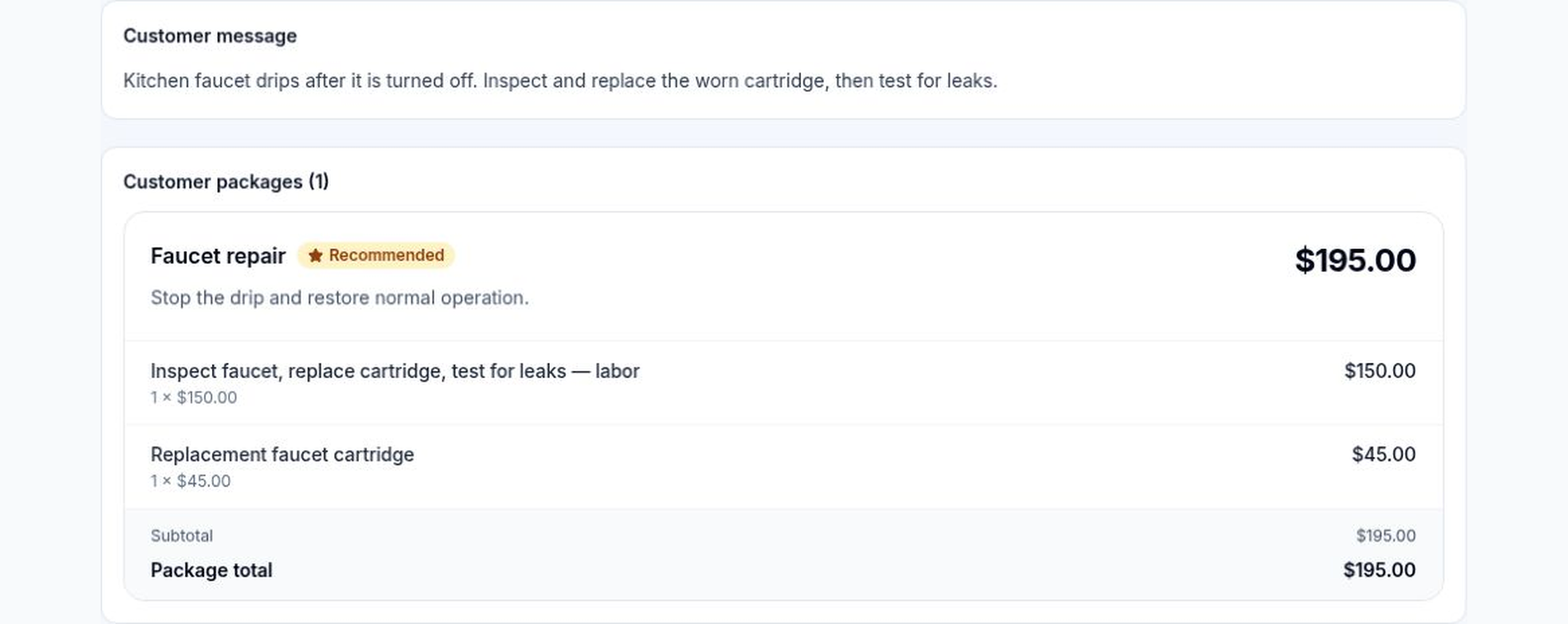
Actual Ironline draft estimate showing faucet-repair labor of $150 and a $45 cartridge, totaling $195.
A $195 draft estimate keeps the repair scope and line items together. Sample data; no estimate was sent.View full-size image (opens a new tab)
Customer intake & CRM

Quick Intake, customers, contacts, service locations, leads, requests, source history, and visible next actions.

Estimates & customer decisions

Templates, packages, options, add-ons, signatures, deposits, questions, approvals, declines, and requested changes.

Recurring & repeat service

Recurring service plans, generated visits, reminders, rebooking, referrals, and connected customer history.

One operation, focused views

What does each person see?

Owners, office staff, crews, and customers work from the views relevant to their role. Expand a role to see its focus.

Owner & leadership

Pipeline, workload, outstanding money, profitability, customer follow-up, data quality, automation health, and operating attention.

Operations & dispatch

Requests, schedules, assignments, qualifications, conflicts, recurring work, exceptions, customer communication, and daily recovery.

Office & customer service

Customers, locations, estimates, appointments, messages, invoices, follow-up, files, and the records behind every handoff.

Technicians & crews

Assigned work, directions, customer context, requirements, time, checklists, photos, materials, signatures, and completion.

Customers

Secure requests, estimate decisions, appointment details, invoices, payment access where connected, conversations, feedback, and rebooking.

Check the boundaries before you switch.

Find out what works offline, how existing data moves across, and which features depend on another provider.

Supported offline field continuity

Selected technician actions queue on the device and replay in capture order after a secure connection returns. Conflicts surface instead of silently overwriting work.

Review mobile boundaries

Controlled migration

Preserve the original export, dry-run mappings, review duplicates and row errors, commit supported customers and jobs, then reconcile before cutover.

Review switching safeguards

Provider state stays visible

Accounting, payments, messaging, calendars, maps, and external workflows show their current availability and source-of-truth boundaries instead of hiding a failed connection.

Review integrations

Meet Ironclad

A role-adaptive operations copilot—not a generic chatbot.

Ironclad understands the page, record, permission role, and assigned learning responsibilities. It explains what the current evidence means, identifies the safest next step, and helps users learn or prepare the work while Ironline’s permissions, confirmations, providers, and audit history stay in control.

  • Explains the page or record using permission-safe context
  • Prioritizes next actions from current operational evidence
  • Connects each user to role-adaptive training and practice
  • Prepares drafts without silently changing records or sending anything

Ironclad

Operations copilot

Context-aware guidance with evidence and permission boundaries.

Ask

Ask what a status means, why a workflow is blocked, or what evidence should be checked next.

Next Actions

Review role-appropriate requests, jobs, messages, money, provider, and training items that need attention.

Teach Me

Open the exact role-adaptive explanation, isolated practice assignment, or graded course for the work on screen.

Evidence-backed example

This job cannot complete yet.

Two required checklist items are still incomplete. Open the source Job and finish the recorded evidence before closeout.

Source: Job completion requirementsNo action taken automatically
Guidance, training, and draft preparation · Existing workflows remain authoritative

See the complete product with your actual workflow.

Run one real request through estimate, schedule, field completion, invoice, and management review before deciding.

Provider-backed services remain available only where configured and activated. Review exact connection status on the Integrations page.